The highlight fields appear directly in AdTribes' attribute dropdown — map once and every feed refresh carries them.
Feedlift for WooCommerce®
Google product highlights. Filled in WooCommerce.
Feedlift writes spec-checked Google Shopping product highlights for WooCommerce — inside wp-admin, ready to review, and mapped into the feed you already run.
25 free generations per site — no account, no card
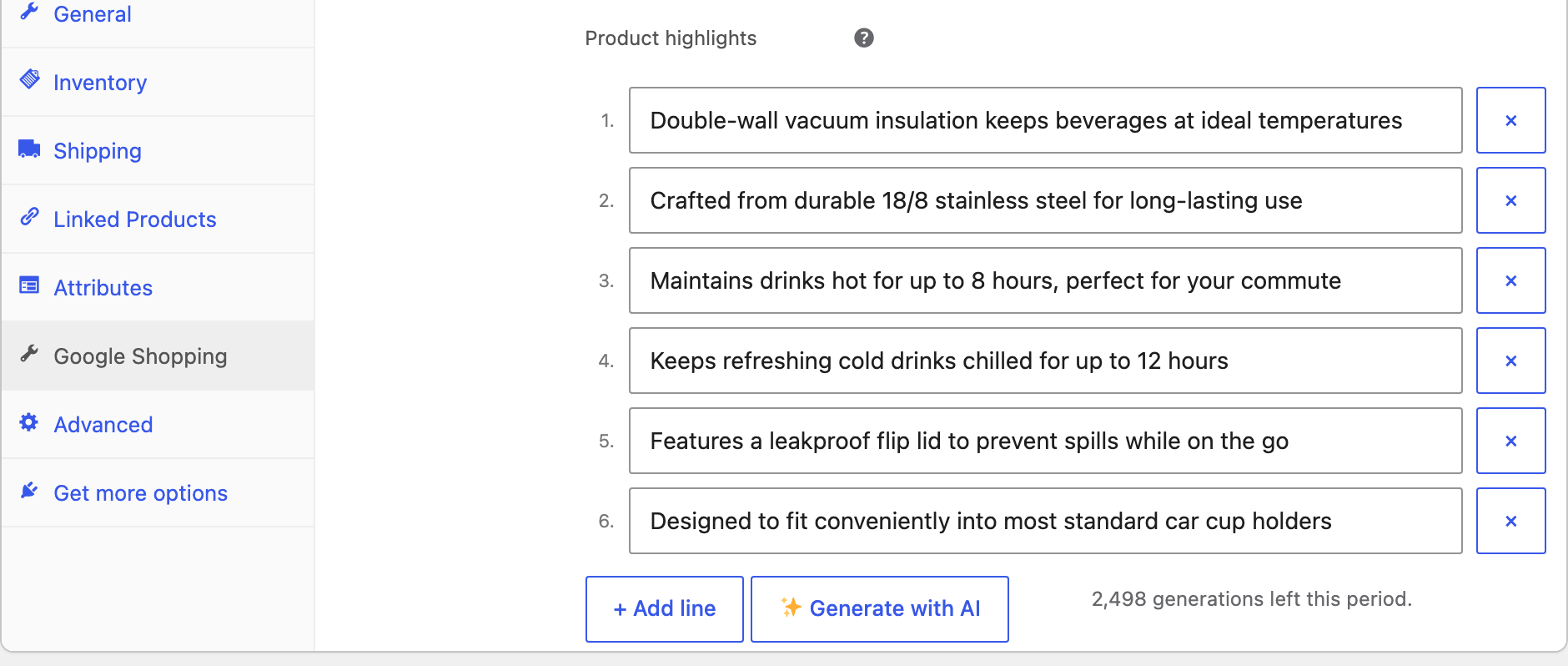
What you’ll see in your product editorUnedited screenshot
4–6 target highlights150 characters maximum0 Merchant Center logins required
Try it live
Paste a product.
Get its Google highlights.
This is the same engine the plugin calls from wp-admin — including the spec guardrails. No signup. Run your own product, or .
Your 4–6 spec-checked product_highlight lines land here — each one ≤150 characters, benefit-first, promo-free.
Workflow
From product copy to feed field.
Feedlift works where catalog teams already work: inside the WooCommerce product editor, with the feed they already operate.
- 01
Generate in WooCommerce
Open a product’s Google Shopping tab and generate from the title and description already in WooCommerce.
One product · one click - 02
Review and edit
Each highlight lands on its own numbered line in wp-admin. Keep, refine, remove, or add any line before it reaches your feed.
Human review stays in the loop - 03
Map to your feed
Save to public product meta, then map the field in AdTribes PRO/Elite or read it from another feed integration.
No Merchant Center login
Integrations
Works with the feed you already run.
Feedlift writes standard WooCommerce product meta — so every feed pipeline can pick it up, and none of them has to change.
Map the google_shopping_highlights meta key (or the pre-escaped CSV variant) as a custom field in any feed builder.
A one-line template helper returns the highlight array, and the meta is exposed through the WooCommerce REST API.
No proprietary storage: everything lives as editable product meta in your own database and exports with your site.
Plans
Prove the workflow free.
Scale when it earns a place.
START HERE25one-time generations per site
No account is needed for the free tier. Paid plans add monthly quota, multiple production sites, and catalog-scale queues.
See pricingSignal check
Questions before takeoff.
Specific answers for catalog operators, developers, and agencies.
Read the docs01What data is sent for generation?
The product title and description are sent when you run a manual, bulk, or enabled automatic generation. Feedlift does not read customer or order data for this workflow.
02Are the highlights guaranteed to appear on Google?
No. Feedlift prepares the optional product_highlight attribute to the documented format; Google decides how submitted data is used and displayed.
03What happens if I cancel a paid plan?
Highlights you already generated stay in WooCommerce. Cancellation does not remove the product meta or the wording you reviewed and saved.
Ready when you are
Fill the field your feed is already waiting for.
Start with 25 free generations on your own store — no account, no card. Compare paid plans when the workflow has earned a place.